
Blog
Top 10 Door Access System Types for Global Buyers?
The global Door Access System market is becoming more connected, flexible, and difficult to compare. MarketsandMarkets estimated the access control market at approximately USD 10.4 billion in 2023. Its report projects growth to nearly USD 14.9 billion by 2028. Grand View Research also identifies cloud-based access control as a major growth area. These figures show momentum, not guaranteed value.
A modern office may use mobile credentials, smart cards, biometric readers, or PIN keypads. A warehouse may need offline operation, weather-resistant hardware, and rapid visitor enrollment. A hotel may prioritize temporary credentials and integration with property-management software. The right choice depends on risk, building layout, staff experience, and maintenance capacity. Small details matter, such as whether a reader works during a network outage.
Security technologist Bruce Schneier offers a useful reminder: “Security is a process, not a product.” That principle should guide every Door Access System evaluation. The best system is not always the most expensive or newest. It must be configured, monitored, updated, and tested consistently. This ranking is practical, but not perfect. Market reports can simplify regional differences, while vendor claims may emphasize ideal conditions. Global buyers should verify certifications, data-handling practices, integration limits, and long-term support before purchasing. The following top 10 Door Access System types compare their strengths, weaknesses, applications, and realistic deployment concerns.
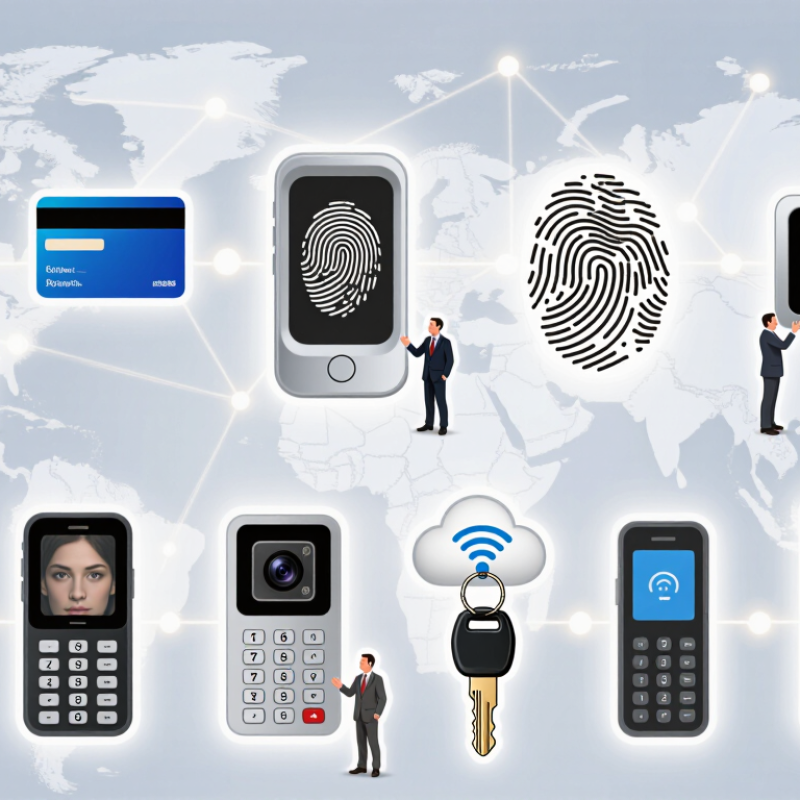
Table of Contents
[Hide]
What Is a Door Access System and How Does It Work?
What Is a Door Access System and How Does It Work?
A door access system controls who may enter a protected area. It replaces, or supports, a traditional key with a credential. This credential may be a card, PIN, mobile token, or biometric feature. A reader checks the credential and sends its data to a controller. The controller compares it with stored permissions. If access is approved, it releases the electric lock for a set period.
The main parts work together. A reader identifies the person, while the controller makes the decision. The lock responds to that decision. Management software records entry time, door location, and user activity. In a busy office, an administrator can remove access without collecting a physical key. In practice, this saves time and improves accountability. However, network delays or weak power supplies can interrupt normal operation.
Reliable planning needs more than selecting a reader. Buyers should examine door type, user volume, emergency exit requirements, privacy controls, and local safety rules. Some locks remain secured during power loss, while others release for safe evacuation. That choice depends on the building and its risks. No system is perfect. A rushed installation can create gaps around wiring, door alignment, or administrator permissions. Regular testing matters. Even a well-designed system needs maintenance, clear enrollment procedures, and trained staff.
Top 10 Door Access System Types for Global Buyers: What Is a Door Access System and How Does It Work?
| Rank | Door Access System Type | How It Works | Typical Credential | Connectivity | Best-Fit Applications | Main Advantages | Common Limitations | Relative Security | Installation Complexity |
|---|---|---|---|---|---|---|---|---|---|
| 1 | Standalone PIN Keypad | The user enters a stored PIN. The controller verifies the code and releases an electric lock or other door-locking device. | Numeric PIN | Local; usually no network connection | Small offices, storage rooms, residential buildings, workshops | Low cost, simple administration, no cards to issue | PIN sharing, shoulder surfing, and limited audit capability | Basic | Low |
| 2 | Proximity RFID or NFC Card System | A reader detects a contactless credential by radio frequency and sends its identifier to a controller for authorization. | Proximity card, key fob, or NFC credential | Standalone or wired networked | Offices, apartment buildings, schools, shared facilities | Fast entry, easy credential replacement, convenient contactless operation | Lost cards can be misused; older low-frequency credentials may be clonable | Basic to medium, depending on credential technology | Low to medium |
| 3 | Smart Card Access Control | A contactless smart card exchanges protected data with the reader, while the access controller checks permissions and records the event. | Contactless smart card or secure key fob | Usually wired and networked | Corporate campuses, healthcare facilities, universities, industrial sites | Stronger credential protection, centralized permissions, event logging | Higher system cost and greater dependence on compatible readers and cards | Medium to high | Medium |
| 4 | Fingerprint Biometric System | A sensor captures fingerprint characteristics and compares them with an enrolled template before granting or denying access. | Enrolled fingerprint | Standalone, wired, or networked | Employee entrances, laboratories, restricted rooms, attendance-linked sites | No card to lose or lend; supports individual accountability | Performance can be affected by dirt, moisture, damaged skin, or sensor quality; biometric privacy rules may apply | Medium to high | Medium |
| 5 | Facial Recognition Access System | A camera captures facial features and compares them with an authorized biometric template, often using liveness detection. | Enrolled facial biometric template | Networked or cloud-connected | Controlled offices, laboratories, staff-only facilities, high-throughput entrances | Hands-free entry and rapid identity verification | Lighting, camera angle, privacy requirements, false matches, and regulatory restrictions must be considered | Medium to high when properly configured | Medium to high |
| 6 | Mobile Credential System | A smartphone uses Bluetooth Low Energy, NFC, or a secure mobile application to transmit an authorized digital credential to the reader. | Mobile app credential or digital wallet credential | Bluetooth, NFC, Wi-Fi, wired network, or cloud | Modern offices, coworking spaces, hotels, residential communities, visitor access | Remote issuance, rapid revocation, reduced physical-card management | Requires compatible phones, adequate battery, user onboarding, and dependable connectivity for some functions | Medium to high | Medium |
| 7 | Dual-Factor or Multi-Factor Access System | The controller requires two or more factors, such as a card plus PIN, card plus fingerprint, or mobile credential plus biometric verification. | Two independent credentials or verification factors | Usually wired and networked; may integrate with cloud software | Data centers, financial areas, research facilities, critical infrastructure | Reduces risk from a lost card, stolen PIN, or compromised single credential | Slower user throughput, higher cost, and more complex enrollment and support | High | High |
| 8 | Video Intercom Door Entry System | A visitor calls an occupant or security desk through an audio/video station. The authorized person verifies the visitor and remotely unlocks the door. | Voice/video verification, PIN, card, or mobile approval | Wired IP, local video network, or cloud-connected | Apartment entrances, reception areas, clinics, schools, gated properties | Supports visitor screening, two-way communication, and remote unlocking | Relies on an available responder; video, audio, and network infrastructure increase installation needs | Medium | Medium to high |
| 9 | Cloud-Managed Access Control | Door controllers communicate with online software for user management, schedules, remote monitoring, event reporting, and credential revocation. | Card, PIN, biometric, or mobile credential | IP network and internet; local operation may continue during temporary outages | Multi-site companies, property portfolios, distributed offices, managed facilities | Centralized administration, remote updates, scalable reporting, easier multi-site management | Subscription costs, cybersecurity responsibilities, data-hosting considerations, and internet dependence | Medium to high | Medium to high |
| 10 | Wireless or Battery-Powered Door Access | A battery-powered lock or reader receives an authorized credential through wireless communication and operates the lock without a traditional data cable. | PIN, card, mobile credential, or electronic key | Bluetooth, wireless mesh, Wi-Fi, or offline audit memory | Existing buildings, interior offices, retrofit projects, remote or low-traffic doors | Lower cabling requirements, flexible retrofit installation, reduced disruption | Battery replacement, wireless coverage, door hardware compatibility, and lower throughput in some deployments | Basic to high, depending on authentication and management platform | Low to medium |
Buyer note: A complete door access system normally includes a credential reader, access controller, electronic locking device, request-to-exit device, door position sensor, power supply, management software, and emergency egress hardware. Final selection should also consider local fire codes, accessibility requirements, privacy regulations, cybersecurity controls, door type, power backup, environmental conditions, and integration with visitor management or building systems.
Related Posts
-
What Are the Top China Door Access System Brands?
-
Future Innovations in Best Door Access Control Technology for 2025
-
How to Choose the Best Key Card Entry System for Your Business?
-

Understanding Global Industry Standards for the Best Biometric Access Control Solutions
-
Enhancing Home Security: The Ultimate Guide to CCTV and Alarm System Integration
-

How to Enhance Security and Efficiency with Biometric Access Control Systems